KARMENLOOP / COMMAND LINE
KODER CLI / Tutorials
Everything you need for Koder CLI.
Give Koder a task, connect your own model, and review sensitive actions before they run.
CURRENT / 0.5.21
Install, open chat, and get a useful error report.
Installation and background activation do not open chat. Run koder setup, then koder; enter tasks only at the koder > prompt. If a task is incomplete, use /error to see the reason and /error copy to copy a redacted report. Copying does not upload it.
LEARN / KODER CLI
Start with one real task.
Install the CLI, configure your own model, choose a project, then review the proposed actions.
Quick start
Six steps from opening a terminal to the first change. Every command has a copy button.
-
Install from the repository
The install commands and each step are in the project repository. When it is installed, type koder.
-
Open setup
Setup starts when the install finishes. Choose the language, model, and colors with the arrow keys or the mouse. Your changes are saved automatically. Open it again any time, or switch only the language:
koder setupkoder lang zh -
Connect a model
Koder does not include a model. You choose a service, get a key, and pay that provider. Using OpenAI as the example, put the key in an environment variable, then tell Koder to read it:
export OPENAI_API_KEY="your-key"koder model set --preset chatgpt --key-env OPENAI_API_KEYIn Windows PowerShell, the first line is:
$env:OPENAI_API_KEY="your-key"For Ollama on this computer:
koder model set --preset local --model qwen3:8bRun koder model presets to list the presets in your installed version. Use Setup or --key-env for credentials; keep keys out of task messages. Unavailable providers are disabled in Setup. See the complete guide for credential storage and provider limits, then run:
koder doctor -
Go to your project folder and start
cd your-project-folder koderType what you want done and press Return. /help lists commands, /setup opens settings, /lang zh switches to Chinese, and /exit or Ctrl+D quits. By default it works in the current workspace. Access to the home directory or another directory needs a separate grant in koder permissions. The operating system still controls system permissions.
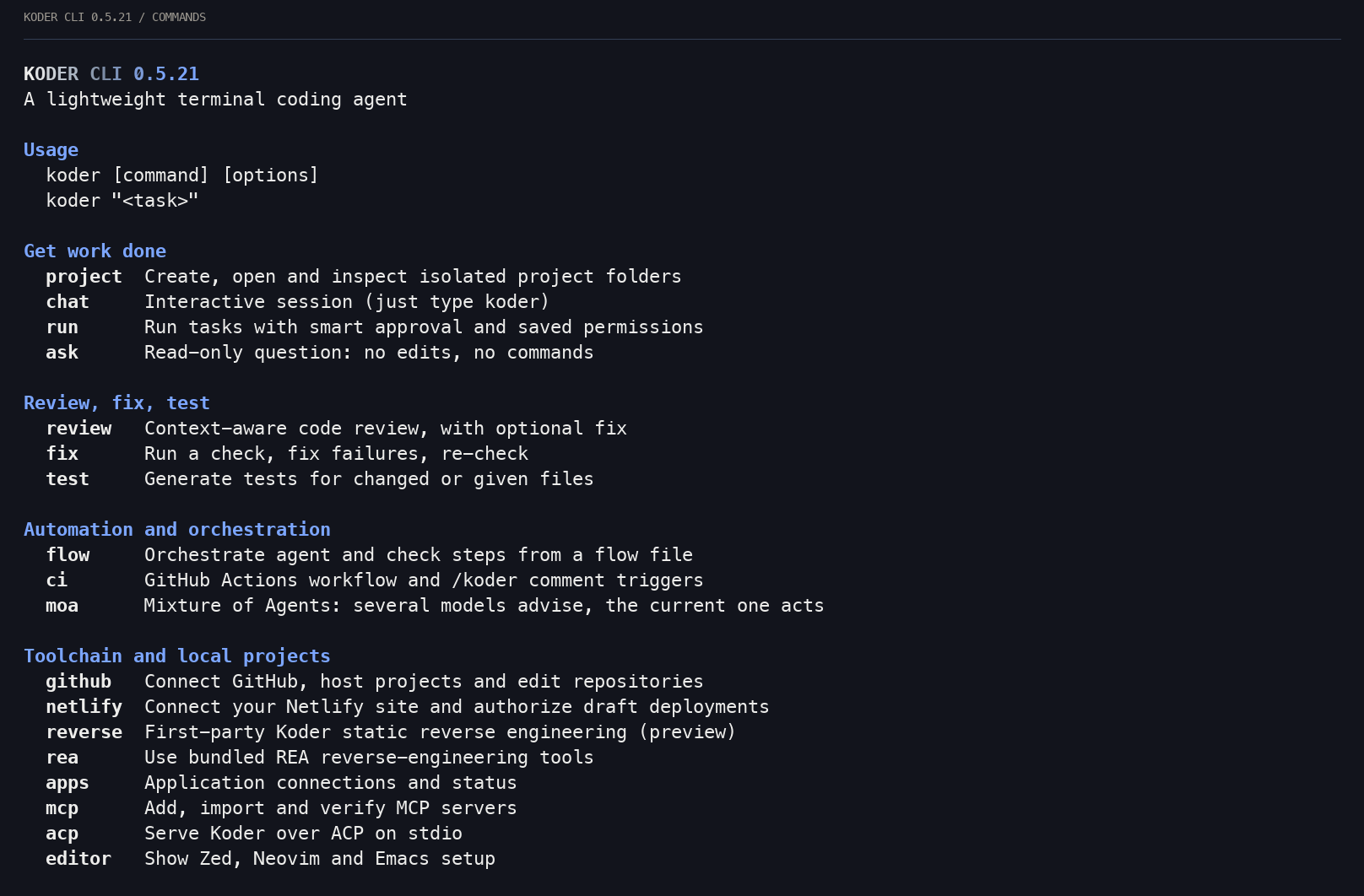
Koder CLI 0.5.21 · captured help excerpt · rendered from terminal characters. -
Approve the change
You can also give a task in one line, without a session:
koder run "npm test fails. Fix total() in cart.mjs"Smart approval handles ordinary project edits and low-risk commands automatically. To review each action, first run koder permissions execution ask. In ask mode, edits show a red/green diff; y accepts and other answers refuse. Sensitive actions still need permission.
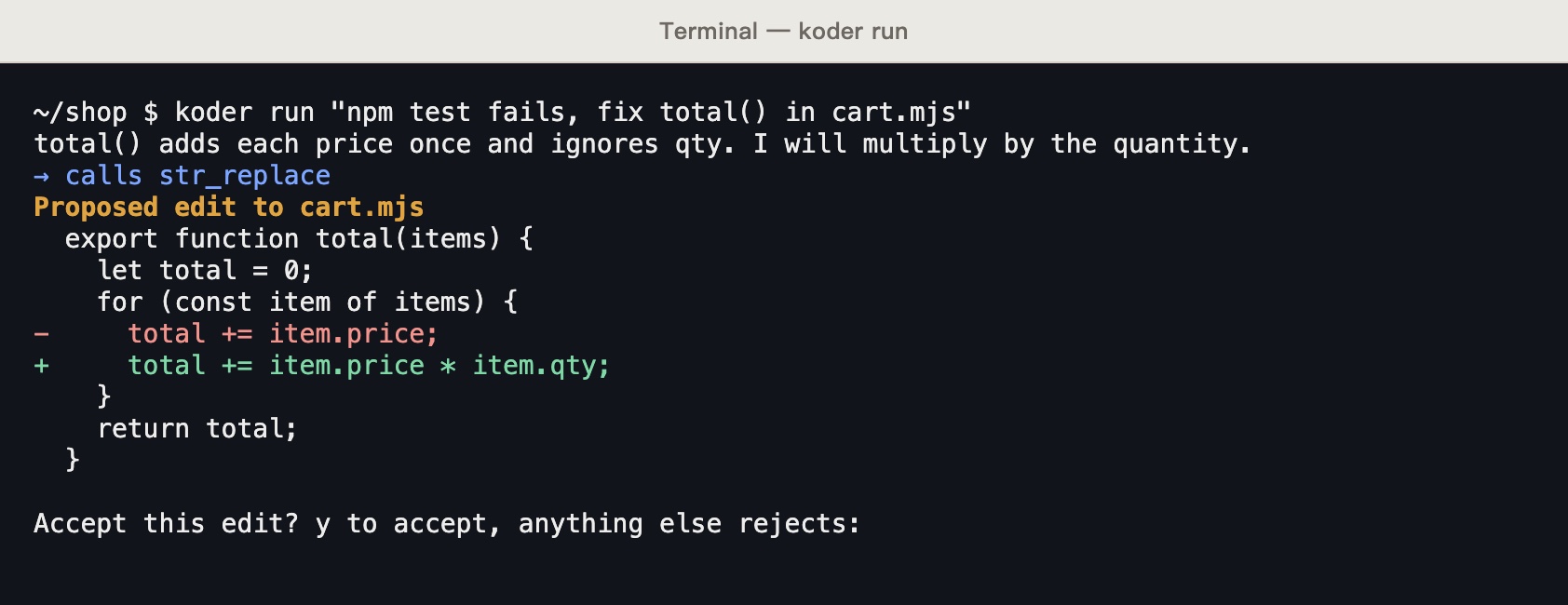
Historical controlled example from an earlier release. Screenshots: koder run fixing cart.mjs, waiting at the accept question. The capture used a local test endpoint that replies from a script, not a real model. -
Follow the tutorial
The terminal has a 30-lesson interactive tutorial, and it remembers your place. --print shows the text only. --os switches the edition to powershell, cmd, mac, or linux. Lesson 16 is install and update.
koder learnkoder learn 3koder learn --print --os powershell
Commands
Every command has its own help. Type koder help and the command name.
koder ask
Read-only questions. It can list folders, read files, and search. It does not change files or run commands.
koder ask "Which file does the sign-in flow start in?"koder run
Runs one task. It can change files and run commands, using smart approval and saved permissions. Piped input goes to Koder as extra material.
npm test 2>&1 | koder run "Fix the tests using this failure output"koder review
Gathers the changes, the repository layout, rule files such as AGENTS.md, and recent commits. Each finding has a file, a line, a level, and a suggested fix.
koder review --base origin/main --format markdown --out review.md koder fix
Runs a check. If it fails, Koder gets the output and fixes it, then checks again until it passes or runs out of tries. The default is 3.
koder fix --check "npm test"koder test
Reads your existing tests first and follows their folders and style, then adds tests for the changes or the files you name.
koder test src/price.js --check "npm test" koder flow
Chains steps in one JSON flow file: shell, run, ask, review, fix, and test. Steps can have conditions, and read-only steps can run in parallel.
koder flow init pr-gatekoder ci init
Writes .github/workflows/koder.yml. It reviews and comments when a PR opens or changes. A PR comment such as /koder review or /koder fix runs that action. Commands that change code are accepted only from repository members.
koder ci initkoder update · koder uninstall
Updates to the latest version. Uninstalls Koder CLI. Add --purge to remove the setup too.
koder update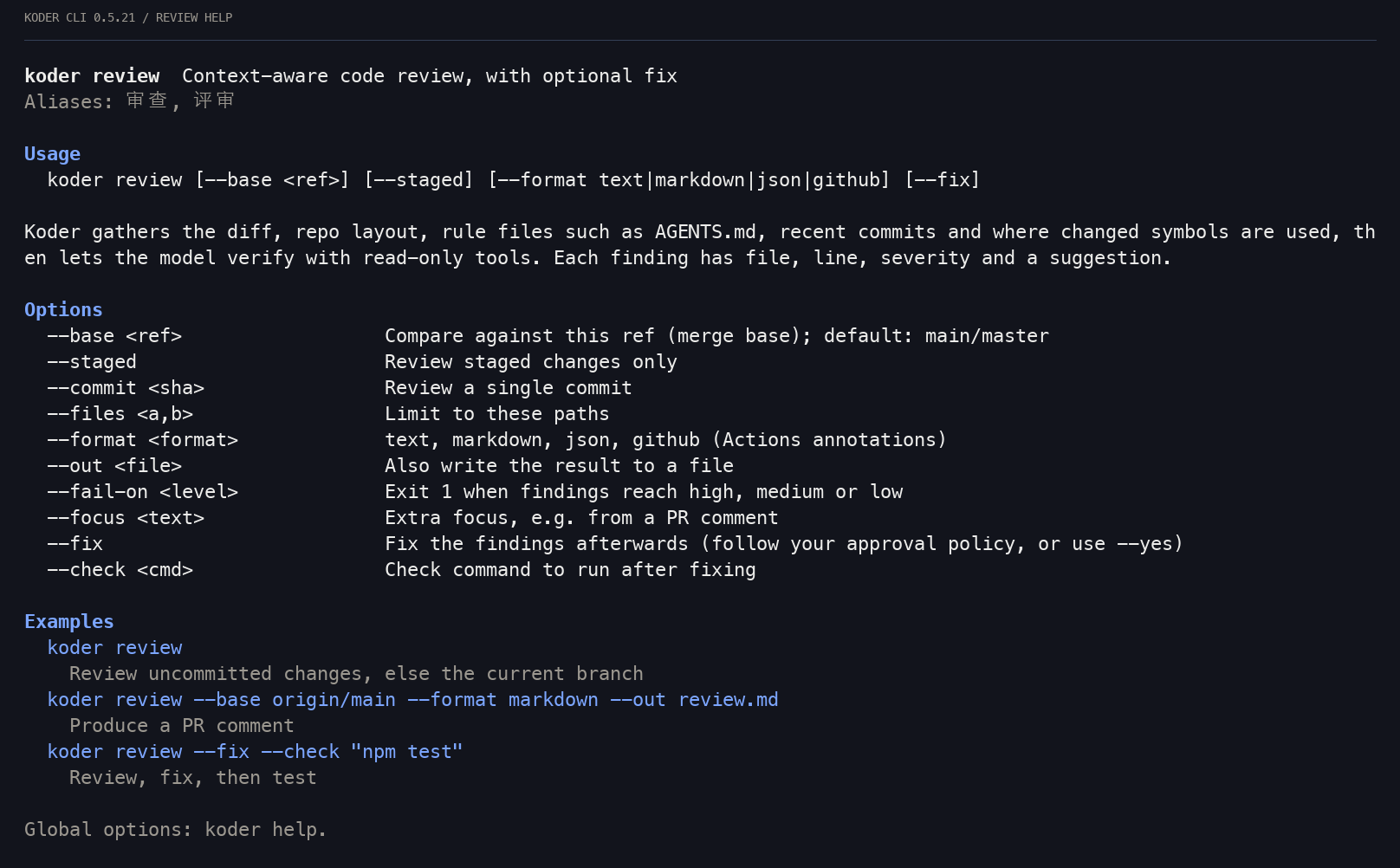
| Global option | What it does |
|---|---|
| -w --workspace | The workspace. The default is the current folder. |
| -y --yes | Handles file changes and commands under your execution settings. Sensitive actions still need permission; it does not answer questions or collect passwords. |
| --json | One JSON event per line, for scripts |
| --mode | standard, code, minimal, plan, execute, report, enhance |
| --lang | Chinese or English for this run |
| --no-color | Turns color off |